


In recent months, there have been several massive password leaks that have exposed the personal data of millions of users around the world. These leaks have highlighted the importance of using strong, unique passwords and enabling two-factor authentication on all our accounts.
According to a recent report by cybersecurity firm Have I Been Pwned, more than 104 GB of new hacked account data has been added to its database, bringing the total to more than 11 billion records.
This means that there is a high probability that your personal data, such as your email address, password, name, date of birth and even your phone number, has been stolen and is circulating on the dark web.
How do I know if my password has been leaked?
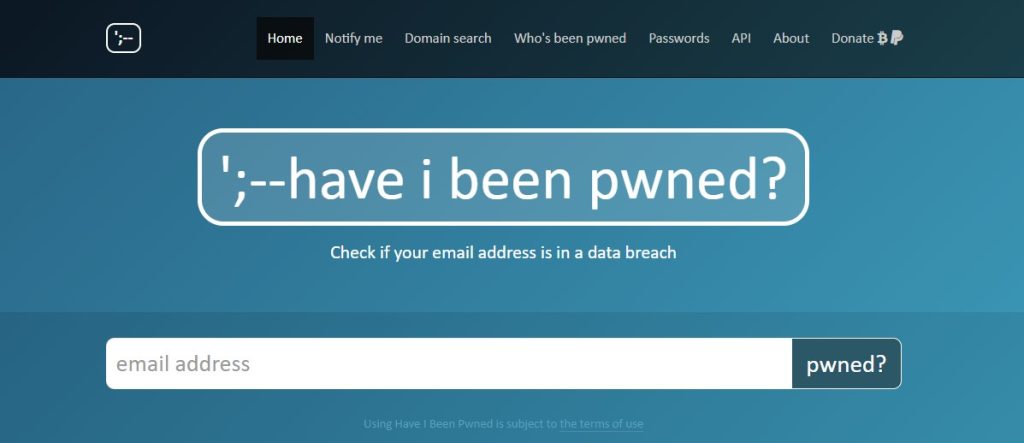
To find out if your password has been leaked, you can use the website Have I Been Pwned. This website is a database of hacked accounts that allows users to check if their personal information has been compromised.
To use Have I Been Pwned, simply enter your email address in the search field and click the "pwned?" button. If your email address appears in the database, it means that your data has been compromised and you should take steps to protect your account.
What to do if my password has been leaked?
If your password has been leaked, you should take the following steps to protect your account:
- Change your password immediately. Choose a strong password that is unique to that account.
- Enables two-factor authentication. This adds an extra layer of security to your account, as it requires you to enter an additional code in addition to your password when you log in.
- Check your bank and credit card accounts regularly. Look for any suspicious activity, such as unauthorised charges or withdrawals.
- Beware of phishing emails. Phishing emails are fake emails that are designed to trick you into handing over your personal information. Do not click on any links or open any attachments in a phishing email.
- Keep your software up to date. Software updates often include security patches that can help protect your computer from attacks.
How can I prevent my password from being leaked in the future?
There are a few things you can do to prevent your password from being leaked in the future:
- Use strong and unique passwords. Do not use the same password for several accounts.
- Enables two-factor authentication.
- Beware of phishing emails.
- Keep your software up to date.
- Use a VPN. A VPN can help protect your Internet traffic from cybercriminals.
Conclusion
Password leaks are a serious problem that can put our security and privacy at risk. By following the tips above, you can help protect your accounts and prevent your personal data from being compromised.


 Español
  English (UK)
  Português do Brasil
  Português
2 responses to “¡Alerta de seguridad! Base de cuentas hackeadas crece y crece: ¿cómo saber si tus datos están entre los afectados?”
I like the helpful info you provide in your articles.
I'll bookmark your blog and check again here regularly.
I am quite sure I will learn many new stuff right here!
Best of luck for the next!
Highⅼy energetic blog, Ӏ enjoyed thаt bit. Will there be a part 2?